
How to Watch Panopto Faster Than 2x
Panopto's built-in speed menu goes from 0.5x to 2x, and there's no setting to go higher. To watch faster, use an extension that sets the video's speed directly. LectureSpeed is free, goes past 2x (any speed up to 16x) and takes three steps: add it to Chrome, open your lecture, press D.

Works in Chrome and Edge. No account needed.
💻 Open this page on your computer to install.
Why Panopto stops at 2x
Panopto's viewer offers playback speeds from 0.5x to 2x, in steps of 0.25x. That range covers what most viewers need, and the viewer has no option to add faster speeds to its menu.
The limit is in the menu, not in the video. Your browser can play the same recording faster; it just needs something to set that speed. That's what a speed extension does: it talks to the video in your browser, without changing anything on Panopto's side.
How to go past 2x on Panopto (step by step)
-
1. Add LectureSpeed to Chrome
It's free and needs no account. It also works in Edge. Pin it from the puzzle-piece menu so the popup is one click away.
-
2. Open your Panopto lecture
In the Panopto viewer, or embedded in your course page.
-
3. Press D to go faster, S to slow down
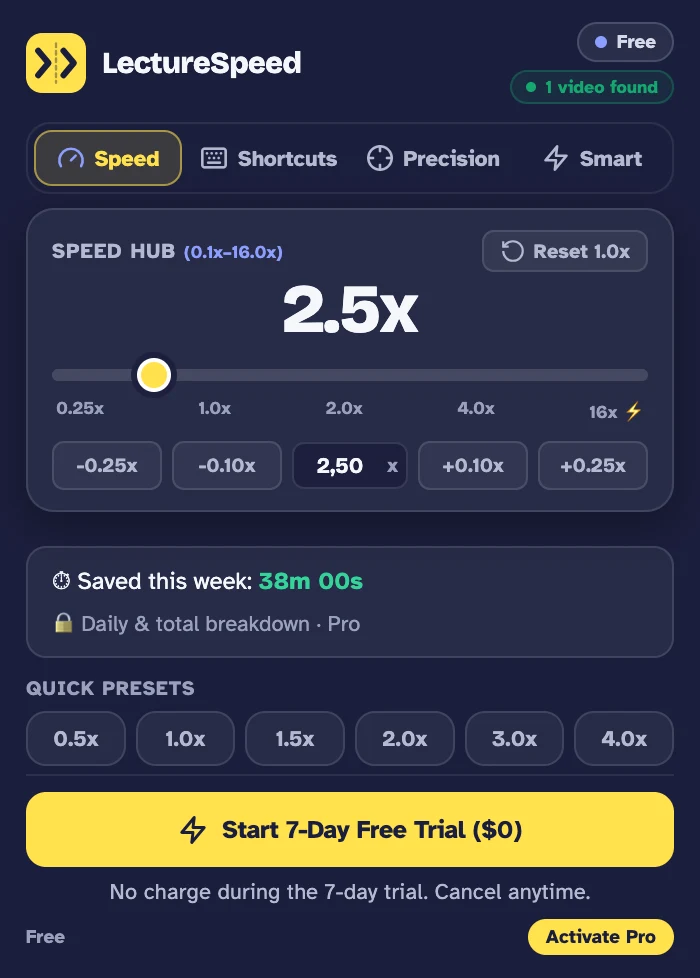
Each press changes the speed by 0.1x, and R goes back to 1x. You can also open the popup and pick a speed.
-
4. Keep watching
LectureSpeed keeps your speed through pause, play, seeks and the next lecture, so you set it once.
What speed should you use?
Faster isn't always better. In a UCLA study (Murphy et al., Applied Cognitive Psychology, 2022), students who watched lecture videos at 1.5x and 2x scored only slightly lower on comprehension tests than students who watched at normal speed. At 2.5x, scores dropped more. The authors also note that difficult material may need a slower pace.
A practical way to use this:
- Start at 2x, the top of Panopto's own menu.
- Press D to add 0.1x at a time, as long as you can still follow.
- When the lecture gets hard (a proof, a new concept, a worked example), press S to slow down, or R to go back to 1x.
More detail, with the study's numbers: what's the best speed to watch recorded lectures.
Works inside Canvas and Moodle
Many courses embed Panopto recordings directly in a Canvas or Moodle page instead of linking to the Panopto site. LectureSpeed works there too: it runs inside the embedded player, so D, S and the popup work the same way. Panopto can show two streams at once, the speaker and the screen; LectureSpeed speeds up both, so they stay in sync.
The player still says 1x?
That's normal. Panopto's speed button shows the option selected in its own menu, and LectureSpeed doesn't change that menu: it sets the speed of the video directly. The LectureSpeed badge on the video and the popup show the real speed. If you pick a speed in Panopto's menu, LectureSpeed keeps yours; press R to go back to 1x and hand the speed back to Panopto's player.
Also using Echo360? Read how to change Echo360 playback speed past 2x.
Questions
Is LectureSpeed free?
Yes. Going past 2x, the keyboard shortcuts and the time-saved counter are free, with no account. Pro ($4.99 a year, with a 7-day free trial) adds review tools such as bookmarks with notes and the A-B loop.
Does it work when Panopto is embedded in Canvas or Moodle?
Yes. LectureSpeed runs inside the embedded Panopto player, so the shortcuts, the popup and the speed badge work the same way as on the Panopto site.
What is the highest speed?
LectureSpeed goes up to 16x. On Panopto, very high speeds can outrun the video's loading, and the player may stall and fall back to 1x. For lectures, 1.5x to 2.5x is the useful range.
Does LectureSpeed track what I watch?
No. The extension has no analytics and doesn't send the pages or videos you watch anywhere. Its only network request is the check of a Pro license key, if you have one.
Does it work on Echo360?
Yes. LectureSpeed works on Echo360's player the same way. It also works on YouTube and most other HTML5 video players.