
What's the Best Speed to Watch Recorded Lectures?
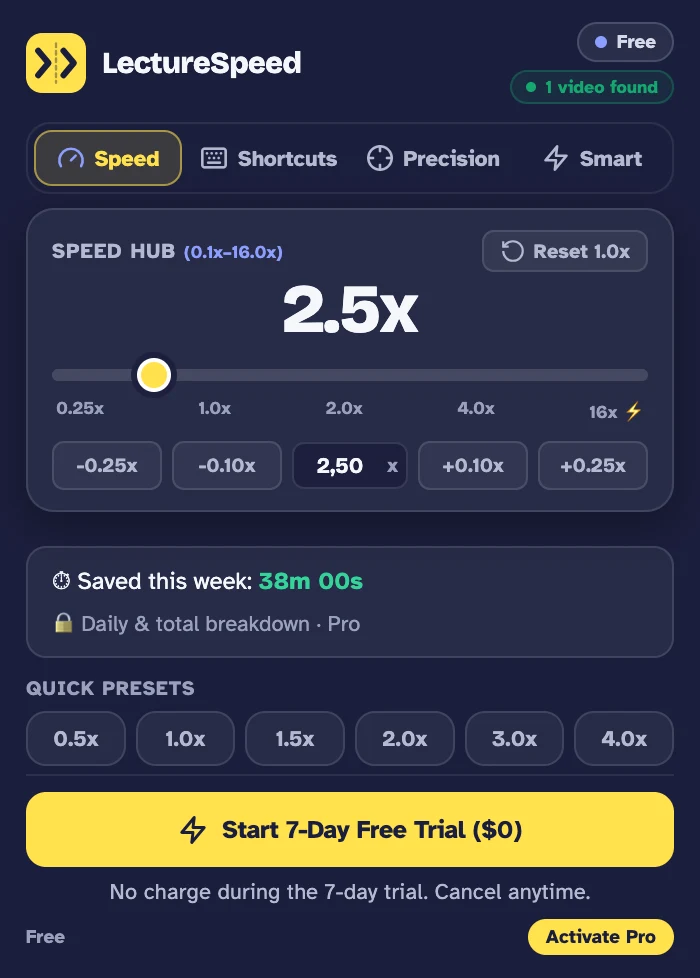
For most recorded lectures, 1.5x to 2x. In a UCLA study, students who watched at 1.5x or 2x scored 3 to 6 percentage points lower than at normal speed, right after watching and a week later. At 2.5x, scores dropped more. Slow down for the hard parts. LectureSpeed is a free Chrome extension that lets you set any speed, including past your player's 2x limit, and change it with one key.

Works in Chrome and Edge. No account needed.
💻 Open this page on your computer to install.
What the UCLA study measured
The most direct test of this question is a UCLA study by Murphy, Hoover, Agadzhanyan, Kuehn and Castel, published in Applied Cognitive Psychology in 2022. 231 undergraduates watched two recorded lectures (one on real estate appraisals, one on the history of the Roman Empire, about 13 and 14 minutes at normal speed) at 1x, 1.5x, 2x or 2.5x. They answered 20 comprehension questions per lecture right after watching, and another 20 one week later.
| Speed | Right after watching | One week later |
|---|---|---|
| 1x | 65% | 59% |
| 1.5x | 60% | 54% |
| 2x | 62% | 53% |
| 2.5x | 55% | 50% |
The only difference the authors found statistically reliable was between 1x and 2.5x. Scores at 1.5x and 2x were a few points lower than at 1x, but not by a reliable margin. Over the week, scores dropped by 6 points at 1x and 9 points at 2x; the authors found no reliable difference in how much was forgotten at different speeds. For comparison, students who never watched the lectures scored 41%.
Most students already speed up. In the same paper, the 123 UCLA undergraduates in the comparison group were asked how fast they usually watch: only 15% said normal speed; 60% said 1.5x, 23% said 2x and 3% said 2.5x.
A 2023 follow-up from the same lab (published in Memory) found that, across three experiments, younger adults generally kept up at 2x, while older adults (over 60) scored lower at faster speeds.
Keep the limits in mind: these were short lectures on new topics, watched online. The authors note that results may differ for faster speakers, more complex material, or lectures where the slides and the speech carry different information.
How to pick your speed
There's no single right number. What matters is how much information reaches you per minute, and that depends on:
- The lecturer. In the study, 2x meant 314 to 332 words per minute. A slow, clear speaker leaves more room than a fast one.
- The material. A review of familiar ideas can go faster than a new proof or a dense derivation.
- The language. If the lecture isn't in your first language, start lower.
- First watch or review. Rewatching something you've already seen is easier to follow at high speed.
-
1. Start at 1.5x
Open the lecture and set 1.5x from the LectureSpeed popup.
-
2. Press D to go up by 0.1x
Keep going while you can still follow every sentence.
-
3. Step back when you lose the thread
Press S to slow down by 0.1x, or R to go back to 1x for the hard part.
-
4. Keep the speed that works
LectureSpeed keeps your speed through pause, play and seeks, so you set it once per session.
Watching fast is not the same as studying
Speed only helps if you use the time you save. The same UCLA paper tested this. Students who watched each lecture twice at 2x, back to back, scored about the same as students who watched once at 1x (63% vs 64%). But students who watched once at 2x, then again at 2x a week later right before the test, scored 63%, compared with 55% for students who watched once at 1x a week before the test. Same total time; better result, because the second viewing came just before the exam.
So the useful habit is: watch at a speed you can follow, then spend the saved time coming back to the parts that matter before the exam.
Your player stops at 2x?
Many lecture platforms cap their own speed menu at 2x. LectureSpeed sets the speed of the video directly, so you can go past it: see the guides for Panopto and Echo360.
Questions
Is watching lectures at 2x bad?
Not for most students, according to the evidence so far. In the UCLA study, students at 2x scored 62% right after watching and 53% a week later, against 65% and 59% at 1x, and the study did not find that difference statistically reliable. At 2.5x the drop was reliable. Difficult material may still need a slower pace.
Should I watch lectures at 1.5x or 2x?
In the UCLA study the two scored about the same: 60% and 62% right after watching, 54% and 53% a week later. Start at 1.5x and go up while you can still follow; a fast speaker or a lecture in your second language may keep you closer to 1.5x.
Does watching at higher speed hurt long-term memory?
In the UCLA study, scores dropped over a week at every speed (by 6 points at 1x and 9 at 2x), and the authors found no reliable difference in forgetting between speeds. A 2023 study from the same lab found that, across three experiments, younger adults generally kept up at 2x, while older adults (over 60) scored lower at faster speeds.
Can I watch faster than 2x if my player stops at 2x?
Yes, with an extension that sets the video's speed directly. LectureSpeed is free and goes up to 16x. In the UCLA study, scores dropped more beyond 2x, so go higher mainly for material you already know.
Is LectureSpeed free?
Yes. Going past 2x, the keyboard shortcuts and the time-saved counter are free, with no account. Pro ($4.99 a year, with a 7-day free trial) adds review tools such as bookmarks with notes and the A-B loop.